
Start With the Ownership Model
The decision is less about which platform has more features and more about who owns the consequences after launch. Make places more of the infrastructure burden on a managed platform, which suits teams that want to assemble workflows visually and keep moving. n8n puts more control in the hands of the organization, especially when it is self-hosted, but that control comes with operational responsibility. A workflow that routes subcontractor documents, updates a pursuit record, and alerts a capture lead still needs an accountable owner regardless of the tool.
For many government contractors, the practical question is simple: can the people closest to the process understand and safely change the workflow? A visual scenario can be easier for an operations manager to inspect when an alert did not send or a record was not updated. A code-capable platform can handle more specialized logic, but it may require a developer or technically capable administrator to diagnose it. The platform should fit the team that will maintain it six months after the original build.
Automation works best when it is constrained and observable. It is useful for routing intake forms, tagging incoming records, creating review tasks, extracting fields from a standard document, and preparing a draft summary for human review. It is a poor place to begin with a fully autonomous process that makes consequential decisions without approval. The tool choice cannot compensate for unclear ownership, unreliable source data, or a missing escalation path.
Why Workflow Fit Matters
Feature lists make Make and n8n look closer than they are because both offer visual workflow building, integrations, and conditional logic. The difference appears once a workflow has multiple systems, exceptions, approval steps, and a growing execution volume. For example, copying a new opportunity into a CRM is a straightforward automation. Reconciling duplicate records, checking missing fields, routing exceptions, and preserving a review trail is an operations system.
Operations leaders often underestimate the maintenance cost of a workflow that looks simple on a diagram. An application programming interface can change, a staff member can rename a field, or a source system can deliver an incomplete record. Those events can quietly create bad data or cause a workflow to stop. The relevant cost is not only the monthly platform bill but also the hours required to find, correct, and prevent failures.

Current discussion around AI automation reinforces the same point: useful automation is not the same as unattended automation. One 2026 industry estimate suggests that about 70% of routine business operations can be meaningfully automated, while also acknowledging that oversight remains necessary. That is a useful direction, not a promise that 70% of a contractor's work can run without judgment. Your team should begin with repetitive work where a person can review outputs and intervene quickly.
Make Favors Visual Operations
Make fits teams that value speed of setup, visual clarity, and a broad library of ready-made connections. Its scenario builder makes it practical to connect common cloud tools, transform records, set conditions, and send notifications without requiring a development environment. That lowers the barrier for an operations lead who understands the process but does not write production code. It also reduces the responsibility of running servers and maintaining the underlying platform.
Make is a strong fit when the workflow is mostly standard SaaS work with clear handoffs. A team might take a submitted teaming request, create a record in its tracking system, notify the assigned owner, and add a follow-up task. These steps benefit from a visible sequence that authorized nontechnical users can review. Make also works well for fast prototypes, provided the prototype is later documented and governed before it becomes business-critical.
Its limitation is not a lack of capability but a mismatch with deeply custom execution models. Complex transformations, unusual authentication patterns, large branching structures, and specialized internal systems can become harder to reason about in a visual canvas. Make allows some scripting, yet its central strength remains no-code workflow assembly. If every important change requires workarounds or opaque modules, the apparent simplicity may become a maintenance problem.
n8n Favors Custom Control
n8n fits organizations that need more control over where workflows run, how they are extended, and how data moves through the process. It is open source and can be self-hosted, which can matter when internal security policies, data residency expectations, or integration requirements make a managed-only approach unsuitable. Developers can add custom logic and work directly with application programming interfaces when prebuilt nodes do not cover the need. This makes n8n especially capable for workflows that behave more like internal applications than simple connectors.
That flexibility changes the operating model. Self-hosting means someone must manage hosting, security updates, credentials, backups, uptime, and incident response. Even a small workflow can become dependent on technical staff if no one else knows how to test a change or restore a failed service. The cost may be lower at high volume, but only if your team already has the skills and operating discipline to carry that responsibility.
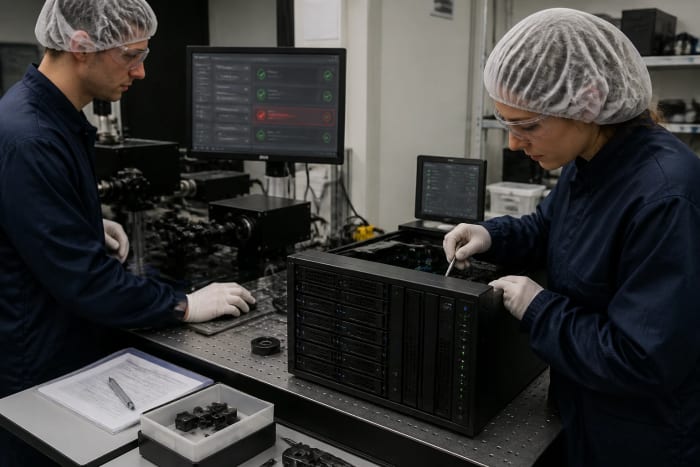
n8n is not automatically the wrong choice for nontechnical teams, but it is rarely the easiest platform for them to operate alone. A well-designed workflow can expose clear controls and documentation, while a poorly designed one can hide risky custom code behind a simple screen. The useful test is whether your team can handle a failed run at 4 p.m. on the day an important response package is due. If the answer depends on one unavailable developer, the workflow has a continuity risk.
Compare the Core Tradeoffs
The table below compares the platforms by the operational questions that matter after a workflow goes live. It does not declare a winner because the right answer changes with your process and team. Make generally reduces technical ownership, while n8n expands technical control. Both can support serious workflow automation when they are designed with review, logging, and recovery in mind.
| Decision area | Make | n8n |
|---|---|---|
| Primary fit | Visual, no-code SaaS workflows | Custom and developer-led workflows |
| Hosting responsibility | ✓ Managed platform approach | Self-hosting available, with your team responsible for operations |
| Custom code and APIs | Useful for lighter extensions | ✓ Better suited to deeper custom logic |
| Nontechnical administration | ✓ Generally more approachable | Possible, but technical support is often needed |
| High-volume cost model | Usage can rise with operations | May be favorable when self-hosted, but infrastructure has a cost |
The most important row is often nontechnical administration. A workflow is not truly operational if only its original builder can modify a field mapping or confirm why a notification did not send. Make gives many teams a clearer place to start because its visual interface reflects the process directly. n8n earns its added complexity when the workflow needs custom behavior that a visual configuration would force into awkward compromises.
Choose the platform your team can still operate when the original builder is unavailable.
Pricing Means More Than Plans
Both platforms can be explored at no software cost in limited forms, but free does not mean free to operate. Make's usage model can become more expensive as scenarios execute more often or process more steps. n8n self-hosting can avoid some platform charges, yet it introduces hosting, monitoring, maintenance, and engineering time. A low monthly subscription is not a meaningful comparison if a workflow needs several hours of technical attention every month.

Usage estimates should be based on actual workflow behavior, not just the number of workflows. A single intake record may trigger several actions: validate fields, search for duplicates, create a record, upload a file, notify an owner, and log the result. At higher volume, each extra check can affect consumption or infrastructure load. Your team should model normal volume, a busy proposal period, and an error condition that causes retries.
Before committing, account for the costs that tend to surface later:
- Platform usage or cloud plan charges as executions increase.
- Hosting, backups, security updates, and monitoring for self-hosted n8n.
- Time to test changes when a connected system changes its fields or access rules.
- Support coverage when an important workflow fails outside normal hours.
Pricing pages and feature gates change, so confirm current limits and support terms before selecting a plan. The comparison should include the cost of a failure, such as an unassigned request sitting for two business days or a report built from incomplete data. This does not require a complicated financial model. It requires an honest estimate of what manual recovery costs your team in time, missed follow-up, and confidence in the process.
Plan for Failure Before Launch
Reliability is a workflow design choice as much as a platform choice. An automation can fail because a connection expires, a source system returns unexpected data, or a downstream application is unavailable. If the process simply stops, the team may not notice until a deadline has passed or a record is missing from a review meeting. Every important workflow needs a clear signal that tells a person when intervention is required.
Human review is particularly important when AI is classifying documents, extracting requirements, or drafting summaries. These are useful ways to reduce first-pass effort, but they can misread ambiguous language or omit context. An approval step is not bureaucracy when the output affects a bid decision, compliance record, or customer communication. It is the control that keeps a helpful automation from becoming an unobserved source of errors.
Your launch checklist should include:
- A named owner for the workflow and for each connected system.
- A test record that exercises normal, incomplete, and duplicate inputs.
- An alert path for failed runs and a documented recovery step.
- A review point for any AI-generated classification, extraction, or draft.
Data cleanup belongs before automation, not after it. When several systems hold different names for the same opportunity, customer, or contact, automation can spread the inconsistency faster. Define which system owns each important field and which changes are allowed to flow back. This is especially important when integrations move beyond basic contact synchronization into companies, tickets, custom objects, or selective record sync.
Choose Based on Workflow Shape
Choose Make when your workflow is largely a sequence of common software actions and your operations team needs to understand it without depending on developers. It is the practical option for connecting forms, email, task tools, CRMs, spreadsheets, and standard notifications in a managed environment. It also makes sense when speed matters and the process is likely to change as your team learns. The tradeoff is less freedom for unusually custom logic and potential usage-based cost growth.
Choose n8n when the workflow requires self-hosting, custom code, unusual system connections, deeper branching, or control over the execution environment. It makes sense when a technically capable team will own deployment and maintenance as part of normal operations. This can be the stronger long-term platform for a custom internal system with high volume or demanding integration requirements. The tradeoff is that infrastructure and technical continuity become part of the workflow's real cost.
Use this short decision test before selecting either platform:
- If process owners must make routine changes themselves, start by evaluating Make.
- If data location or custom technical behavior is non-negotiable, evaluate n8n first.
- If the workflow is still unclear, prototype a narrow, reversible process before building a larger system.
- If no one can own failures and changes, pause the build until that responsibility is assigned.
The best platform is the one that fits the workflow's shape rather than the one with the loudest claims. A simple workflow that is visible, owned, and recoverable usually produces more value than an elaborate automation nobody can safely change. That principle matters more than whether the workflow includes AI. AI should add interpretation where needed, not obscure the process or replace accountable judgment.
What to Do This Week
Pick one workflow that currently creates repetitive handoffs or avoidable follow-up delays. It could be routing a capability inquiry, creating a task from a new solicitation alert, or collecting status updates before a pursuit meeting. Write down the trigger, each system touched, the person responsible for exceptions, and the output that proves the workflow completed. This one-page map will reveal whether the job is mostly visual configuration or requires a custom technical build.
Then estimate execution volume using real activity from a typical month and your busiest month. Ask what must happen if a connection fails, a field is empty, or a person needs to approve the result. If your team needs a managed visual tool that operations staff can adjust, Make is the sensible default. If the process demands self-hosting and custom logic and technical ownership is already available, n8n is the more natural fit.
For workflows that cross existing tools and need clearer ownership, Three Sixty Vue offers Automation Systems that connect tools, route information, handle everyday operational steps, and make follow-through more reliable. The useful outcome is not a larger automation diagram. It is a process your team can explain, monitor, and recover when the real world does not follow the happy path.