
A familiar disappearing-lead scenario
Let’s walk through a scenario we see all the time with local service businesses. Someone searches “emergency plumber near me” or “best family dentist,” clicks a listing, and lands on a page that technically has everything. The services are there, the phone number is there, and the contact form is there. But the lead is on a phone, one-handed, possibly distracted, and trying to decide in under a minute who feels safe and easy to deal with.
They hit the page and it takes long enough to load that they start scrolling before it’s fully stable. A pop-up appears, covering the phone number, and the “Call” button is small or down the page. They’re not thinking “bad user experience,” they’re thinking “this feels like work.” Then they look for reassurance: reviews, photos, credentials, who’s actually coming to the house, and whether pricing will be a surprise. If they don’t see it quickly, they bounce back to the search results.
Or they try to contact you and run into a different kind of friction. The form asks for too much, throws an error, or doesn’t confirm that it went through. They decide to call instead, but it goes to voicemail, and the voicemail greeting is rushed or unclear. They hang up and call the next option, because the need is still real and the path is simpler.
Most leads don’t disappear—they get redirected by friction.
The point of the scenario isn’t to blame your website or your team. It’s to show how many places a lead can vanish without you ever noticing. When owners tell us, “People are visiting but not contacting,” we assume there are multiple micro-dropoffs happening at once. The fastest wins come from mapping the click-to-contact journey end-to-end and tightening each step.
Speed kills interest on mobile
Slow pages don’t just annoy people—they change how trustworthy you feel. If a site takes too long to load on mobile data, many visitors assume it’s outdated or poorly maintained, even if your business is excellent. They also don’t wait around to find the call button; they tap “back” and try someone else. This is especially brutal for urgent services, but it applies to almost every local category. The lead’s mindset is simple: “If it’s hard now, it’ll be hard later.”

Speed problems are often invisible to the owner because you’re testing on office Wi‑Fi or on a newer phone. Your customers might be on a mid-range device, in a dead zone, with multiple tabs open. Heavy images, third-party scripts, fancy animations, and bloated themes quietly add seconds. You don’t need a perfect score; you need a page that feels immediate and stable. If the page jumps around while loading, it makes people miss the very button you want them to press.
The measurable diagnostic here is straightforward: check your top landing pages on a phone using cellular data, not Wi‑Fi. Watch how long it takes before the phone number and primary “Call” or “Request a Quote” button are visible and tappable. Also check whether the first meaningful content appears fast enough that a visitor understands they’re in the right place. If you can’t reach that moment quickly, you’re paying for attention you can’t hold.
When speed is the issue, owners often try to “compensate” by being more aggressive with pop-ups or bigger forms. That usually makes the problem worse because you’re stacking more friction on a slow experience. Fixing performance is boring, but it’s one of the cleanest ways to increase contacts without buying more clicks. It’s not about impressing Google; it’s about keeping a real person from leaving.
Trust signals decide the next step
After the click, your lead asks a quiet question: “Can I trust this company?” They’re not only evaluating your service; they’re evaluating risk. Will you show up, will you upsell, will the price explode, will it be awkward to get a quote, will my information get spammed. If your page doesn’t answer those concerns quickly, people stall and then disappear. That’s not indecision—it’s self-protection.
Trust is built with specifics, not slogans. “Quality service” doesn’t reduce risk, but clear photos of your team, real reviews, service area clarity, and licensing or insurance notes do. So does showing what happens next: “Call us, tell us the issue, we’ll confirm availability, then you get a written estimate.” When people know the sequence, the next step feels safe. This is also where “too pushy” comes in—many sites feel aggressive because they demand information before offering reassurance.
A useful way to check trust is to open your landing page and ask: within 10 seconds, do we show who we are, what we do, where we do it, and how to reach us? If a visitor has to hunt for reviews, or the page looks generic, they’ll assume you’re one of a hundred interchangeable options. If your phone number is tiny or buried, you unintentionally communicate, “We don’t really want calls.” And if the only path is a long form, you communicate, “You’re going to get sold.”
Trust also includes basic security hygiene when you’re collecting customer info. Cloud tools are everywhere now, and that increases responsibility; multi-factor authentication, controlled access, and encryption are no longer “big company stuff.” The same expectation applies to how you handle customer messages and call recordings if you use automation. You don’t need to write a novel policy on your site, but you do need to behave like a business that takes customer data seriously.
Contact paths that feel hard
Many sites technically offer contact options, but they don’t feel easy in the moment. A phone number in the header isn’t enough if it isn’t tap-to-call on mobile, or if it’s hard to see against the background. A “Contact” link in the menu isn’t enough if it sends people to a separate page that loads slowly and feels like a dead end. Leads don’t want to navigate; they want to act. If your page makes action feel like a project, they postpone it and forget.
A common micro-dropoff is forcing the wrong channel at the wrong time. Some visitors want to call because the issue is urgent or complex, and they don’t want to type. Others want to message because they’re at work, in a quiet place, or simply don’t want a live conversation yet. If you only offer one option prominently, you lose the other group. The fix isn’t to plaster ten buttons everywhere; it’s to offer two clear paths that match how people behave: call now or request a quote.
Another hidden issue is “choice overload” disguised as helpfulness. If your page has multiple phone numbers, multiple locations, multiple “schedule” buttons, and multiple forms, people hesitate. They worry they’ll pick wrong and waste time. In local service buying, clarity beats completeness. The highest-converting pages usually have one primary action and one secondary action, repeated consistently.
We also watch for contact paths that require reading. If your call button says “Contact us for more information regarding our services,” you’re making someone process language when they’re trying to move fast. The button should say what happens next: “Call now” or “Get a quote.” Small copy changes sound trivial, but they remove uncertainty, and uncertainty is where leads disappear. When owners ask, “Where did they go?” the answer is often “they didn’t feel sure enough to tap.”
Forms fail more than you think
Forms are a silent killer because failures don’t always show up in an obvious way. A form can look fine but submit errors on certain phones, conflict with a browser privacy setting, or get filtered by email rules on your end. The visitor doesn’t care whose fault it is; they just assume you didn’t respond. Then they move on. If you rely heavily on forms, you need to treat them like a piece of equipment that can break.
Friction also shows up as “effort cost.” If your form asks for address, budget, timeline, and a long description before you’ve earned trust, people abandon it. For a lot of local services, the first contact should be lightweight: name, best callback number, and one sentence about what they need. You can qualify later, after you’ve responded like a real business. When owners worry about being too pushy, long forms are often the real culprit—because they feel like an interrogation.
The diagnostic is to test your form like a customer would. Fill it out on an iPhone and an Android device, on cellular data, and confirm you actually receive the submission where you expect it. Make sure the page clearly confirms success and sets expectations, like “We’ll call you within 15 minutes during business hours.” If there’s no confirmation, many leads assume it didn’t work and they won’t retry. That’s a micro-dropoff you can eliminate in an afternoon.
It’s also worth checking what happens inside your business once a form arrives. If it lands in a shared inbox that nobody “owns,” your response time becomes random. Random response time is basically the same as no response when someone is comparing options. Forms can work great, but only if the path from submission to follow-up is tight and predictable.
The follow-up gap that loses deals
Even when the website does its job, leads still vanish because of response timing. If someone calls and gets voicemail, the “next step” becomes uncertain, and uncertainty kills conversion. If someone submits a form and hears nothing for hours, they assume you’re booked, disorganized, or not interested. For many local services, being first to respond is a bigger advantage than being the cheapest. The painful part is that owners often think they’re responding quickly, but the lead is judging in minutes, not hours.
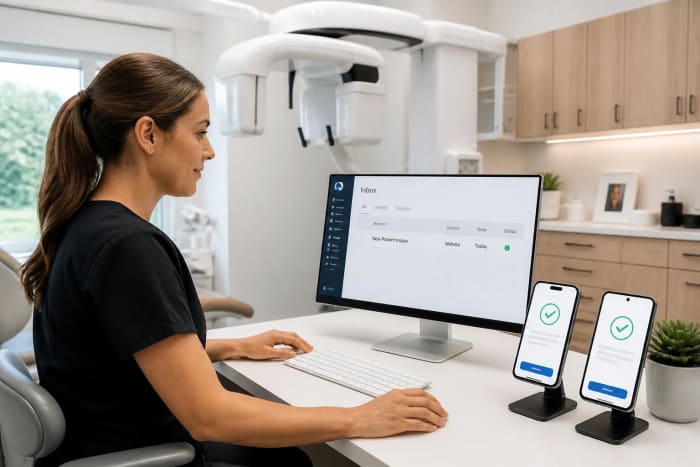
This is where call handling matters more than most people want to admit. Missed calls are missed revenue, especially for urgent or high-intent searches. In 2026, AI receptionist tools are being adopted largely because they reduce missed calls and capture lead details 24/7 without adding headcount. Basic setups are often fast—some sources cite average setup time around 5–15 minutes for basic implementations—because training can pull from your website content and a simple FAQ library. That speed is real, but it doesn’t mean you should skip the important part: routing rules for complex situations and a clean handoff to a human when needed.
The market is growing for a reason. Projections put the virtual receptionist category growing from about $3.85B in 2024 to $9B by 2033, and the conversational AI technology underneath it was estimated around $11.58B in 2024 with strong growth ahead. That doesn’t mean every business should automate everything; plenty of real deployments work best as a hybrid. Routine calls get handled automatically, and complicated questions get routed to the right person so customers don’t feel trapped in a loop.
The most common follow-up mistake we see is treating call answering as separate from the rest of the workflow. If calls aren’t logged, notes aren’t captured, or the team can’t see context, automation creates duplicate work and gets ignored. Integrations and day-to-day fit are what make these tools usable, not the demo. And like any cloud tool handling customer data, you need basics like multi-factor authentication and controlled access. The goal is simple: nobody interested should fall through a crack because you were on a job or it was after hours.
A practical diagnostic checklist
If leads are clicking but not contacting, we don’t start by guessing whether traffic quality is bad. We start by finding out where the journey breaks: before the page loads, during evaluation, during contact, or during follow-up. That’s the difference between “we need more ads” and “we need to fix the leak.” You can do a lot of this without fancy tools—just disciplined testing and a few numbers you can track weekly. The goal is to get answers you can act on, not a dashboard that nobody checks.
Here’s a simple checklist we use to pinpoint the dropoff. Pick your top two landing pages and run through this on a phone, then confirm what you see with real call and form volume. Keep it honest: if something annoys you, it’s probably losing leads. The biggest value is separating “site problem” from “follow-up problem” so you fix the right thing first.
- Mobile load and stability: Can we see a call button quickly, and does the page stop jumping around while it loads?
- Trust in 10 seconds: Do we show real reviews, real photos, and clear service area and next steps without scrolling forever?
- Contact friction: Can a visitor call or request a quote in one tap without pop-ups blocking the path?
- Form reliability: Does the form work on multiple phones, and do we get an immediate “success” confirmation?
- Response reality: When a call is missed or a form is sent, how fast do we actually respond during busy times and after hours?
Once you run the checklist, you’ll usually see a pattern. If the site is slow and cluttered, you’ll see short visits and few contact attempts. If the site is fine but calls are missed, you’ll see voicemail volume and “we never heard back” complaints. If forms are failing, you’ll often see people revisiting the page multiple times without submitting, or you’ll hear “I filled it out” with no record on your end. Each pattern points to a different fix, and that’s where you stop wasting money on the wrong solution.
Fixes that raise contacts fast
Once you know where leads are falling off, the fixes should be boring and direct. We’re not trying to “optimize” in a vague way; we’re trying to remove obstacles between interest and contact. The best improvements usually reduce effort, reduce uncertainty, or reduce waiting. They don’t require more traffic to work, which is why they’re so profitable. If you’re spending $1,000–$5,000 a month on ads or directory listings, even a small contact-rate improvement can be the difference between breaking even and growing.
Here are fixes we’ve seen move the needle quickly for local service businesses. You don’t need to do all of them at once, and you shouldn’t add complexity “just because.” Pick the two that match the failure point you found in your diagnostic. Then measure calls and form fills for two weeks before you change anything else.
- Simplify to two actions: Make “Call now” and “Request a quote” obvious, repeated, and consistent on every key page.
- Put proof near the buttons: Add reviews, photos, and clear next-step expectations right where people decide to contact you.
- Make mobile the default: Compress images, remove heavy extras, and ensure the page feels fast on cellular data, not just Wi‑Fi.
- Reduce form effort: Ask for the minimum, confirm submission clearly, and route it to an owner inbox or assigned person.

For follow-up, the fix is often coverage and consistency. If you can’t answer every call live, you need a dependable way to capture the lead’s name, number, and reason for calling, then route it to the right person quickly. That’s why AI receptionist tools are positioned as ROI-positive: they reduce missed calls and keep intake moving outside business hours. Costs for voice AI have also been trending down as accuracy improves—some reports describe costs decreasing by roughly 20–30% as the tech approaches human-level performance—which makes “always answer” more attainable for small teams. Just don’t fall into the trap of fully automating complex conversations without an escape hatch to a human.
Also, don’t ignore the workflow after the call or form. If notes aren’t captured, calls aren’t logged, or the next step isn’t assigned, you’ll keep losing leads even if the website improves. The best systems make it hard to drop the ball: the message gets captured cleanly and someone is accountable for the follow-up. When you fix both the site friction and the response gap, the “mystery disappearances” stop feeling mysterious.
What to do this week
If you want more leads without increasing ad spend, we recommend starting with a tight click-to-contact audit on your top landing pages. We’ll review your mobile experience, page speed, trust signals, and the exact steps it takes to call or submit a request, then we’ll rebuild the critical pages with our custom website design that’s built to rank in local search results and built to convert. If missed calls are part of the leak, we’ll set up our AI voice receptionist so every inbound call gets answered, basic details get captured, and complex situations can be routed to your team. And if the problem is follow-up chaos, we’ll implement AI automation so form submissions and call notes get routed to the right person automatically instead of sitting in an inbox.
Here’s the action to take this week: pick your top two “money pages” and test them on your phone on cellular data, then call your own business after hours to see what a lead experiences. If either test feels even slightly annoying, that’s likely where your leads are disappearing. Send us those two page links and tell us when you most often miss calls, and we’ll recommend the most direct fix using the right mix of our website design, AI automation, and AI voice receptionist.