
A familiar day in chaos
Picture a local service business with 12 employees: phones ringing, jobs scheduled, materials ordered, invoices going out, and follow-ups happening whenever someone remembers. A new lead calls and also fills out a website form “just in case,” so now there are two records with slightly different names. Someone books the job in a scheduling tool, but the accounting tool doesn’t see it until the office manager manually creates an invoice later. The tech in the field finishes the work, texts a photo, and the status update lives in a thread that nobody else can search. By Friday, the owner is staring at three different “totals” for the week and none of them match.
This is where businesses start to feel like they’re working harder but not moving faster. It’s not that the team isn’t capable; it’s that the system design forces them into constant context-switching. Every time someone re-enters customer details, they have to stop what they’re doing and become careful. Every time a status update lives in the wrong place, the next person has to hunt for it. That hunt is pure waste, and it shows up as slower response times and frustrated customers.
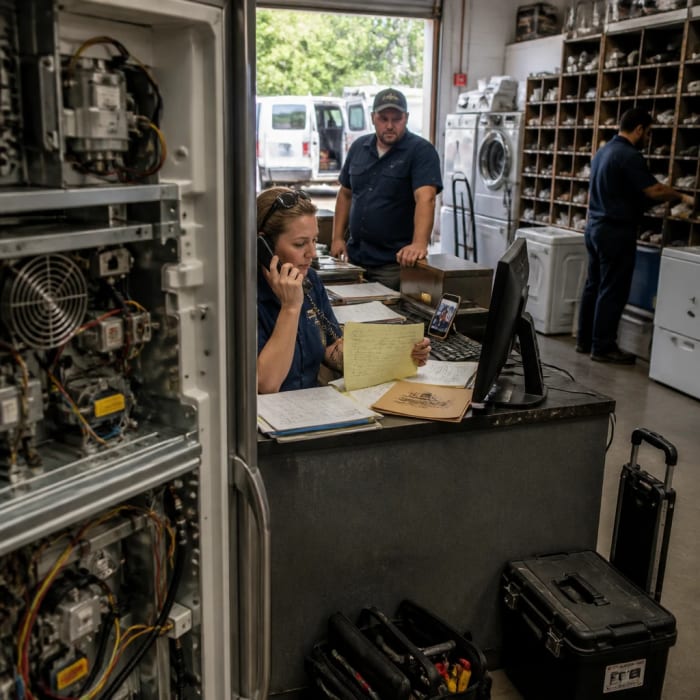
The worst part is that it’s easy to misdiagnose. Many owners assume they need better people, more training, or a new tool. Sometimes they add a “plug-and-play” automation app because it promises quick relief, and in 2026 a lot of SMB tools really do deploy fast. But if the new tool becomes one more island, you’ve just added another place where the truth can differ. The business doesn’t need more software; it needs fewer handoffs where humans have to translate data from one system to another.
What disconnected systems really are
Disconnected systems are simply tools that can’t share information in a reliable, automatic way. That can mean no integration at all, or it can mean an integration that only works “sometimes,” forcing someone to check it daily. In practical terms, it looks like duplicate customer records, mismatched job statuses, and invoices that don’t match what was actually delivered. Even if each tool is good on its own, the business experience becomes a patchwork of manual steps.
This matters because your business runs on a handful of core objects: customers, orders or jobs, and invoices. When those objects exist in multiple places, your team spends time reconciling them. Someone has to decide whether “Jon Smith” and “Jonathan Smith” are the same person, or whether the job marked “complete” in scheduling is also “ready to invoice” in accounting. That’s not strategic work, and it’s not what you hired people for. It’s also exactly where mistakes hide.
Owners often ask us why this gets worse over time. The answer is volume and variance: more transactions means more chances for exceptions, and exceptions are where manual processes crack. A simple example is a rescheduled appointment: if the change updates the calendar but not the job record and not the invoice notes, you now have three versions of reality. The bigger you get, the more those small divergences stack up into real money.
Four predictable ways you lose
Disconnected systems cost money in four predictable ways, and you can usually see all four in the same week. First is labor waste: people doing copy-paste work, chasing approvals, and checking multiple systems for the latest status. Second is avoidable errors: wrong addresses, duplicate invoices, forgotten follow-ups, or missed warranty notes. Third is slower cycle times: jobs and orders take longer to move from sold to scheduled to completed to paid. Fourth is poor visibility, which leads to bad decisions because you’re working off stale or conflicting information.
Labor waste is the easiest to quantify. If two admin staff each spend even 30–60 minutes a day re-entering and reconciling data, that’s roughly 5–10 hours a week of paid time that produces no customer value. At typical wage rates, that can quietly become hundreds to over a thousand dollars a month, and it tends to rise with every new tool. What makes it sneaky is that the work is spread across people, so it doesn’t feel like a single “problem.” It just feels like everyone is busy.
Avoidable errors are usually the most painful, because they hit customer trust. A duplicate record can lead to missed follow-ups, or two people calling the same lead with different pricing. A mismatched job status can create a premature invoice, or worse, no invoice at all. These aren’t “tech problems” to your customer; they’re competence signals. When your systems don’t agree, customers notice the inconsistencies and they assume you’re disorganized.
If your team has to ask “Which system is right?” you don’t have a software stack—you have a guessing game.
Where fulfillment actually slows
Owners usually feel the slowdown in order fulfillment and service delivery first, because that’s where the handoffs are constant. A job goes from lead to estimate to scheduled to dispatched to completed to billed, and each step often lives in a different tool. When those tools don’t talk, the status updates become manual. That means the team must stop and “announce” progress in a second place, which doesn’t always happen when the day gets busy. The result is a business that does the work but can’t move it through the system quickly.
The most common slowdown points are boring—but expensive. Someone has to confirm inventory or parts availability by checking a separate system or spreadsheet. Someone has to confirm payment terms and outstanding balance by logging into accounting before approving the next job. Someone has to check support notes to see if there’s a special instruction, because it didn’t make it into the schedule. Those checks create micro-delays that stack into a full day of “waiting on info.”
In 2026, lots of SMB tools advertise fast setup and easy automation around scheduling, follow-ups, and data entry. That’s real, and it’s why small businesses gravitate toward plug-and-play solutions that reduce manual admin work without months of IT lift. But quick deployment isn’t the same as operational cohesion. If scheduling is fast but it doesn’t update job status, notify the right person, and trigger billing steps, you haven’t sped up fulfillment—you’ve sped up one island inside it.
- Scheduling without status creates no-show gaps, double-booking risk, and constant “are we still on?” calls.
- Completion without billing delays invoices, which delays cash, which delays hiring and purchasing.
- Support notes outside the workflow causes rework, callbacks, and preventable customer frustration.
- Inventory checked manually turns a quick “yes” into a 20-minute scavenger hunt.
Why decisions lag behind reality
When systems are disconnected, leadership loses real-time visibility into what’s actually happening. Pipeline, cash flow, and capacity start living in different places—often owned by different people. So the owner or manager ends up making decisions from a weekly report, a gut feeling, and whatever someone remembers in a hallway conversation. That’s not leadership failure; it’s information failure. When the “truth” is scattered, decision-making naturally slows down.

This is how businesses get caught off guard by predictable problems. You think you have capacity next week, but the schedule doesn’t reflect the jobs that were sold but not entered yet. You think cash will be fine, but invoices are sitting in draft because job completion lives in another system. You think leads are being followed up, but the follow-up task never got created because the website form just sent an email. The business isn’t lacking effort—it’s lacking a reliable, shared picture of reality.
We also see the “report mismatch” problem create internal friction. Sales believes operations is slow, operations believes sales oversold, and accounting believes nobody submits clean paperwork. All three might be right, because everyone is working from different data. This is one reason integrated suites have become such a practical antidote to fragmentation: fewer moving parts means fewer versions of the truth to reconcile. Even if you don’t choose a suite, you still need the same principle—one clear source of truth for core data.
What an integration assessment means
An enterprise integration assessment sounds like something only big companies do, but the idea is simple and absolutely applies to small businesses. It’s a structured way to map how work actually flows through your shop, then identify the handoffs that cause the most retyping, waiting, and confusion. The key is that it doesn’t start with tools. It starts with the work your customers pay you for, and how information moves from one step to the next. Tools only matter after you’ve identified where the friction is costing you real money.
We like to map two workflows that drive most local businesses: “lead-to-customer” and “order-to-cash.” Lead-to-customer is everything that happens from first contact to booked job to first invoice. Order-to-cash is the path from approved work to delivery to billing to payment. If either workflow has manual handoffs, your cycle time slows and your margin shrinks. When you map the handoffs, you can see exactly where “we’ll just update that later” becomes “we forgot.”
To keep it practical, we recommend doing the assessment with real examples, not theoretical steps. Pick five recent jobs: one easy, one that got rescheduled, one with a change order, one that required a follow-up visit, and one that became a repeat customer. Then trace where the customer info lived, where the job status lived, where the invoice lived, and where follow-ups were tracked. The gaps will jump off the page, and you’ll also see which gaps happen in every single job versus only in edge cases.
- Write down the steps from first contact to payment in plain language, like you’re training a new hire.
- Mark every handoff where someone re-enters data, copies a note, or “checks another system.”
- Estimate the cost in minutes per job and how often the handoff happens each week.
- Prioritize the top 1–3 handoffs that create delays, errors, or missed follow-ups.
Start with standard data objects
The fastest wins usually come from standardizing a few key data objects so they mean the same thing everywhere. “Customer” should have one spelling, one phone number format, one primary email, and one owner. “Order” or “job” should have one status language that everyone uses, like scheduled, in progress, complete, billed, paid. “Invoice” should be tied back to the job that created it, not floating as a separate record with different details. When those objects are inconsistent, any automation you add will just move messy data faster.
This is where owners can make a strong decision: pick a single source of truth for each object. That doesn’t mean one tool has to do everything. It means one place is the “master,” and other tools can read from it or write to it in controlled ways. Without that decision, you end up with a customer record that’s different in the phone system, the scheduling tool, and accounting. Then your team spends time merging and guessing again.
There’s also a customer-facing side to this that many people miss. In 2026, web design is trending more human and story-driven—real imagery, real testimonials, real personality—because it counterbalances the generic feel of AI-produced everything. That’s great, but it only works if the experience behind the website is equally coherent. If someone fills out a form and never gets a follow-up because the lead didn’t enter your workflow, the warm branding becomes a broken promise. Your website is increasingly revenue infrastructure, not a brochure, and the back-end data flow is what makes it perform like one.
Your tech doesn’t need to be fancy. It needs to agree with itself.
Fix the top workflows first
After you standardize your core data objects, the next move is integrating the top 1–3 workflows before expanding. Most small businesses don’t need a massive overhaul. They need a handful of high-impact connections so work moves automatically from one step to the next. The right first integrations are the ones that reduce repeated data entry and prevent missed follow-ups. If a fix doesn’t save time weekly or reduce error risk, it’s probably not first.

For a local service business, the highest-impact workflow is usually lead-to-booked. When a lead calls or fills out a form, a customer record should be created, a follow-up task should be assigned, and the next step should be obvious. The second workflow is often job-to-invoice, because completion should reliably trigger billing steps. The third is customer-to-support history, because techs and office staff need the same notes to avoid repeat conversations and rework. When these are connected, your team spends less time coordinating and more time serving customers.
This is also where we recommend being opinionated about adding new point tools. Plug-and-play tools are attractive because they’re easy to deploy, and many 2026 automation tools genuinely help small teams scale follow-ups, scheduling, and data entry without hiring. But every tool you add becomes another system that needs consistent customer and job data. Before you add it, decide: where will it get its data, and where will it write updates back? If you can’t answer that, you’re buying future cleanup work.
- Lead capture to follow-up: inquiries become assigned tasks automatically, with no “lost in inbox” gap.
- Job status to billing: completed work triggers invoice creation or an invoice-ready queue.
- Scheduling to customer records: changes update the same customer/job record so everyone sees the latest.
- Support notes to field team: critical instructions show up where the work happens, not in side conversations.
What to do this week
If you want a quick reality check, we’d start with one simple test: pick 10 recent customers and see how many different versions of their information exist across your tools. Look for differences in name spelling, phone number, address, job status, and invoice status. Then pick one workflow—usually lead-to-booked or job-to-invoice—and write down every place someone has to “go update” something. That list is your first draft of what disconnected systems are costing you.
Next, choose one source of truth for customers and one for job status, even if you don’t change software this month. Decide who owns keeping those records clean and what “clean” means, like one primary phone number and one agreed status list. This one decision reduces duplicates fast, because it stops people from improvising. Then track the time spent per week on re-entering data and checking other systems, even if it’s just rough notes. In most businesses, seeing the hours on paper is what creates momentum to fix it.
When you’re ready to actually connect the dots, we can help. Our AI automation connects your highest-impact workflows so customer, job, and invoice information stops getting retyped and starts moving automatically between the systems you already use. If you want to tackle this now, reach out to us this week and we’ll map your lead-to-booked and job-to-invoice flow and identify the top 1–3 integration gaps to fix first.